
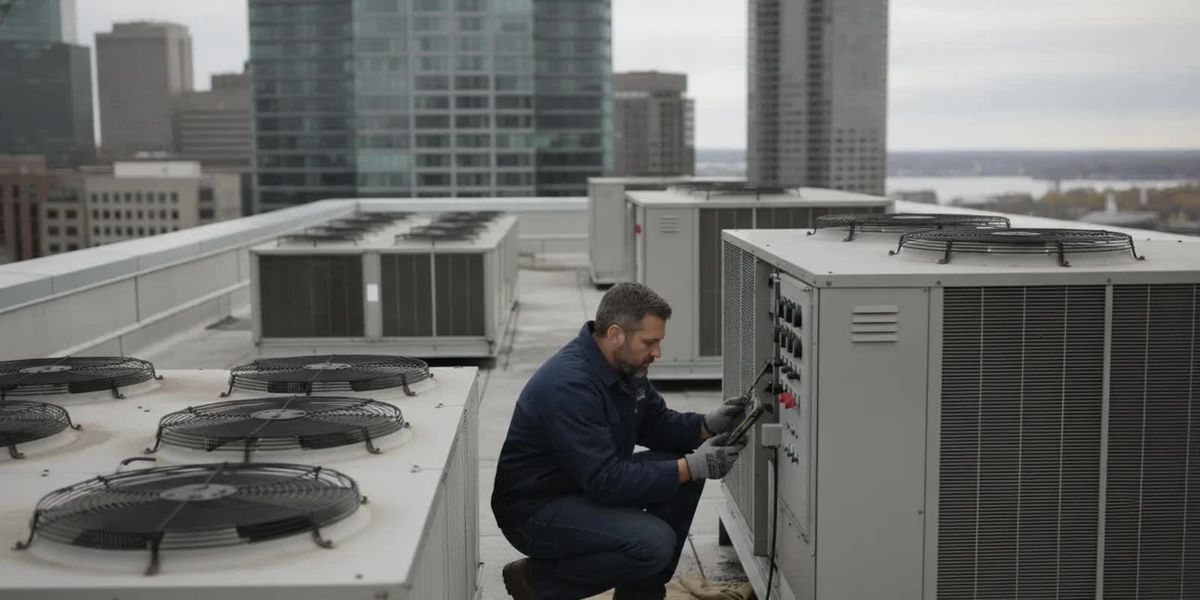
Commercial HVAC service for an automated building is not just a matter of setting a thermostat. Controls can help facility teams coordinate operating schedules, observe system conditions, respond to alerts, and keep a useful record of adjustments. The right setup depends on the equipment, the building’s use, and the information staff can act on.
What commercial HVAC automation can do
In a commercial building, automation generally means using controls to manage or monitor heating, ventilation, and air-conditioning equipment. The term covers a range of arrangements. One building may have programmable thermostats and equipment-level controls. Another may have a building automation system (BAS) that brings information from multiple devices to a shared interface. The label alone does not tell a manager what the system can control, what it can only display, or how well it fits the building.
At a practical level, controls can help teams organize recurring operations and notice conditions that merit attention. They can be useful when a building has different occupied hours, multiple HVAC units, zones with different use patterns, or equipment that needs staff oversight. Automation does not replace sound equipment selection, maintenance, or informed decisions by people responsible for the site. It gives those people another way to manage and observe the system.
B&B Mechanical lists controls among its commercial HVAC offerings. Its commercial HVAC systems service page is a starting point for discussing how controls relate to the equipment in your facility. Ask a service provider to clarify which functions apply to your installed systems rather than assuming every control platform supports the same features.
Where controls may help a facility team
Coordinate occupied and unoccupied schedules
A schedule can help align HVAC operation with the building’s normal hours. A facility team might review start and stop times for offices, production areas, or other spaces with distinct operating patterns. The useful question is not simply whether a schedule exists, but whether it reflects real occupancy and any required operating needs.
Before changing a schedule, document the building’s typical hours, early arrivals, late shifts, cleaning periods, and days when the usual pattern changes. Confirm whether controls manage all relevant equipment or only selected units. If people report discomfort before the scheduled start, a control change may be one option to investigate, but it is important to understand the equipment’s operation and the actual cause before making repeated adjustments.
Make operating conditions easier to review
Depending on the installed controls, a shared interface may display selected readings or equipment states. That can help staff see whether a unit is operating, identify a reading that appears unusual, or compare how a space behaves at different times. What is visible depends on the controls, sensors, connections, and configuration in place.
Readings are clues, not a full diagnosis. A displayed temperature does not by itself explain why a room is uncomfortable or prove that a particular component has failed. Note the location, time, conditions, and any recent schedule or setpoint changes. That context can help a qualified technician investigate instead of relying on a single snapshot.
Bring attention to alarms and exceptions
Some systems can present alerts when a measured condition crosses a configured limit or when equipment reports a fault. This may help staff notice an issue that needs review. An alert is not a promise that the system has identified the root cause, contacted a technician, or corrected the problem. Facility procedures still need to identify who reviews notifications, what information they record, and how urgent issues are escalated.
Teams should learn which alerts matter, how they are delivered, and what action is appropriate for each one. If a notification is unclear, record its wording and the associated equipment details. Avoid repeatedly resetting or changing a system without understanding the cause, particularly when the condition is recurring or affects building operations.
Keep a record of changes
Controls can make it easier to record or review schedules, setpoints, and operating changes, depending on the platform. A simple change log is still valuable even when the system does not provide a convenient history. Record who made a change, when it was made, the reason, and what happened afterward. This helps the next shift distinguish a persistent equipment issue from a recent adjustment.
A consistent record also helps a facility manager explain a problem during a service call. Include the unit or area involved, the time symptoms began, any alarm text, and whether the condition is constant or intermittent. Those details do not replace a site assessment, but they can make the conversation more focused.
Automation is not a substitute for maintenance
Controls can support oversight, but they cannot ensure that equipment is clean, correctly adjusted, or in good mechanical condition. Nor does a monitoring screen establish that every relevant part of a building is being monitored. Sensors can be misplaced or out of service, controls can be configured in ways that no longer match how a space is used, and equipment may need hands-on inspection.
Preventive maintenance remains a separate part of managing commercial HVAC equipment. A maintenance visit can include inspection and assessment of system components; the exact work depends on the equipment and the agreed scope. Keep maintenance records alongside control notes so a team can connect operating observations with service history. If you are reviewing maintenance or equipment needs, see B&B Mechanical’s commercial HVAC service information and ask what is appropriate for your specific system.
Automation should also not be treated as a guaranteed energy-saving measure. A control strategy has to fit the building and be configured and maintained appropriately. For general background on energy topics, the U.S. Department of Energy is the publisher of energy.gov (U.S. Department of Energy, n.d.). The facility team should evaluate its own equipment and operating conditions rather than assume a particular result.
Compare common control approaches
The following comparison is a planning guide, not a specification. Capabilities vary by product, equipment, configuration, and the way a building is operated. Have a qualified provider confirm what is installed and which changes are supported before planning around a feature.
Approach: Local thermostat or equipment control. What the team may be able to do: Set or adjust conditions for an individual area or piece of equipment. What to verify: Which unit it serves, who may adjust it, and how it interacts with other controls.
Approach: Programmable scheduling. What the team may be able to do: Set recurring operating periods for supported equipment or areas. What to verify: Whether schedules match actual occupancy, exceptions, and equipment start-up needs.
Approach: Building automation system. What the team may be able to do: View or coordinate selected building systems through a shared interface. What to verify: Which devices are connected, what can be controlled versus viewed, and who maintains access.
Approach: Alarm or condition monitoring. What the team may be able to do: Surface selected readings or fault conditions for staff review. What to verify: Alert limits, notification path, assigned response, and what the alert does not diagnose.
Plan changes around the building and its users
Before changing controls or considering an upgrade, make a short inventory. List the types of HVAC equipment, the areas they serve, normal occupancy patterns, known comfort concerns, and who currently has access to controls. Note any changes in tenant use, operating hours, or room layout. This gives the facility team and service provider a clearer starting point than a general request to “automate the building.”
Define the operating problem. Describe what staff experience: a schedule mismatch, uneven comfort, difficulty seeing equipment status, or uncertainty about an alarm. Separate observed facts from assumptions about the cause.
Identify the affected areas and equipment. Note unit labels, locations, and whether the concern affects one area or several. If labels are missing, use a clear description that staff and a technician can recognize.
Gather operating information. Share normal hours, unusual shifts, recent changes, and a log of relevant observations. Include alarm wording where available, but do not treat an alarm as a diagnosis.
Confirm system capabilities. Ask what the installed controls can monitor or adjust, which equipment is connected, and whether any proposed change requires work on the equipment itself.
Agree on how results will be reviewed. Decide who will observe the system after a change, what conditions they will record, and when the facility team will revisit the adjustment with its service provider.
For facilities with more than one building or multiple teams, use consistent naming for locations and equipment. Make sure the people who receive alerts know which site and unit they refer to. Keep operating notes accessible to the next shift and to the person who coordinates service. A process that staff can follow is more useful than a control feature nobody is assigned to monitor.
Questions to ask before a controls project
A controls conversation should establish scope before anyone assumes a particular result. Ask the provider to explain how proposed work relates to the existing HVAC equipment, what information will be available to staff, and what requires a separate service visit or project. If several equipment types are involved, ask how the scope treats each one rather than relying on a broad system label.
Which HVAC units and areas are included, and which are outside the proposed scope?
Will staff be able to view conditions, adjust settings, or both?
What alarms or readings will be presented, and who is expected to respond?
What existing equipment, wiring, or controls need to be assessed first?
How will the team document schedules, adjustments, and follow-up observations?
What maintenance or service work is separate from the controls discussion?
Ask for clear explanations of any limitations, dependencies, and next steps. Do not infer that an existing control system can connect to every unit or that a control adjustment will resolve a mechanical fault. If the issue is urgent or equipment is not operating as expected, describe the condition to a service professional and follow the building’s operational procedures.
What to prepare for a commercial HVAC service call
When calling about an automated or controlled system, have the site address and a contact person ready. Identify the building area or equipment involved, describe what staff observed, and note when the issue started. Share relevant alarm text, recent schedule or setting changes, and whether the issue is ongoing or intermittent. If more than one team member has observed the issue, combine their notes into a concise timeline.
Do not spend time trying to make a control system perform a function if you do not know whether it supports that function. A clear description of the problem is more useful than repeated setting changes that obscure what happened. Before the call, check whether staff can safely observe the relevant display and capture its exact message; do not remove covers or attempt repairs. If the condition varies, note when it occurs and whether the building was occupied, the equipment was scheduled to run, or another area was affected. Tell the provider what the team has already changed, even if a setting was later returned to its prior value. That history helps avoid treating an earlier adjustment as the normal baseline. B&B Mechanical is a family-owned commercial HVAC and refrigeration contractor serving businesses in New Hampshire, Rhode Island, and Massachusetts excluding Cape Cod since 2000. Its service page outlines commercial HVAC systems and is a useful reference when discussing the equipment involved. When the service need involves controls, explain whether the goal is to understand existing operation, investigate an equipment problem, or consider a change. Keeping the request specific makes it easier to discuss what information is available and what assessment may be needed, without assuming a particular control function or outcome in advance.
Frequently asked questions
Does commercial HVAC automation mean a building runs without staff?
No. Controls can automate selected schedules or operating functions, depending on the installed system, but staff still need to review conditions, respond to issues, maintain equipment, and make decisions about building operations.
Can controls identify why a commercial HVAC unit is not working?
An alert or displayed reading can provide useful information, but it may not identify the root cause. Record the symptoms and alert details and have the equipment assessed when needed.
Can automation replace preventive maintenance?
No. Monitoring and scheduling do not replace physical inspection and maintenance. Keep service records and control observations together so the facility team has a more complete equipment history.
What should a facility manager do before changing a schedule?
Confirm the affected area and equipment, review real occupancy hours and exceptions, and understand who is authorized to change the controls. Record the adjustment and observe what happens afterward so the team can discuss the result with its service provider.
Commercial HVAC automation is most useful when it addresses a defined facility need and the people responsible for the building understand what the controls can and cannot do. Start with the operating problem, confirm the equipment and control capabilities, and keep service and change records that the whole team can use.